How to Turn off Nordictrack Treadmill
To turn off your NordicTrack treadmill, start by slowing the belt to a complete stop using the console controls. Next, press the red Stop button or the emergency stop key to halt the machine immediately.
Access the console menu to select the proper power-off option, ensuring the system fully shuts down before unplugging. Always remove the safety key to cut power safely and avoid damage.
Following this precise shutdown sequence protects your treadmill’s electronics and extends its lifespan. Learn effective ways to optimize this process and troubleshoot common issues.
Key Takeaways
- Press the red Stop button on the console to immediately halt the treadmill belt.
- Access the Menu or Settings, navigate to power options, and select “Power Off” to shut down.
- Remove the safety key to stop the treadmill and cut power before turning it off.
- After powering off, unplug the treadmill from the outlet for electrical safety and maintenance.
- Avoid unplugging while the belt is moving; always stop the belt and power off first.
How to Turn Off Your NordicTrack Treadmill Using the Console
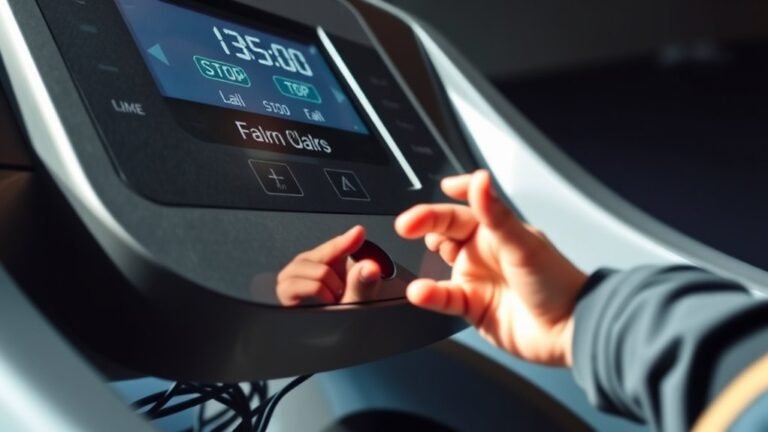
To turn off your NordicTrack treadmill using the console, start by pressing the red Stop button located on the control panel. This immediately halts the belt movement, initiating the shutdown sequence.
Next, access the power settings through the console operation menu by pressing the Menu or Settings button, depending on your model. Navigate to the power options, then select “Power Off” to safely shut down the machine’s electronic components. Confirm your selection if prompted.
This procedure guarantees the treadmill powers down completely without abruptly cutting electricity, preserving the console’s software integrity.
Avoid unplugging the treadmill before completing these steps, as proper console operation safeguards against potential data loss or system errors.
Following this method maintains the treadmill’s functionality and extends its lifespan.
Using the Emergency Stop Button
Locate the red emergency stop button near the treadmill’s console for quick access.
To stop the machine immediately, press the button firmly until the belt halts.
After activation, reset the treadmill by pulling the button out before restarting your workout.
Location Of Emergency Button
When you need to stop your Nordictrack treadmill immediately, the emergency stop button provides a quick and reliable way to do so. This safety button is typically located on the console, easily accessible during your workout.
You’ll find it near the center of the control panel, often marked with a bright red color for visibility. Knowing the emergency button locations is vital for your safety, as these safety button functions are designed to halt the treadmill instantly to prevent injury.
On some models, the button is integrated with a safety key that clips onto your clothing. If the key detaches, the treadmill will stop automatically.
Familiarize yourself with the exact location and design on your specific Nordictrack model to guarantee quick access when needed.
How To Press
Press the emergency stop button firmly and directly to halt your Nordictrack treadmill immediately. This critical treadmill feature is designed for quick shutdown during unexpected situations.
Locate the red, easily accessible button on the console or safety key tether as outlined in the user manual. Apply steady pressure until the treadmill belt and motor cease operation. Avoid tapping or partially pressing the button, since incomplete activation could delay stopping.
The emergency stop overrides other controls, ensuring safety without requiring additional input. Always familiarize yourself with this function by reviewing the user manual before use.
Proper use of the emergency stop button prevents accidents and equipment damage, making it an essential skill for safe treadmill operation.
Follow manufacturer instructions precisely to maintain peak treadmill performance and safety.
Resetting After Activation
Although the emergency stop button halts your Nordictrack treadmill instantly, you’ll need to reset the system before resuming your workout. The resetting process guarantees the treadmill is safe and fully operational after an emergency stop, preventing activation issues.
Follow these steps:
Remove the safety key from the console to power down the treadmill completely. Wait 30 seconds to allow the internal systems to reset fully. Reinsert the safety key firmly into the console to restore power and clear any error states.
Once these steps are complete, check the display for any error messages. If the treadmill doesn’t respond or activation issues persist, consult the user manual or contact customer support for advanced troubleshooting.
This precise resetting process helps maintain treadmill safety and functionality after an emergency stop.
How Safety Keys Keep You Safe When Turning Off Your NordicTrack
Because the safety key acts as a critical fail-safe, it immediately stops the treadmill belt if it becomes detached, guaranteeing you can turn off your NordicTrack quickly in an emergency.
This essential safety feature prevents injuries by cutting power instantly, adhering to strict user guidelines designed for your protection.
Always attach the safety key securely before starting the treadmill; if it detaches during use, the machine stops automatically.
To turn off your NordicTrack safely, remove the safety key to halt the belt before powering down.
Never bypass or modify this feature, as doing so compromises safety and voids warranties.
Following these safety features and user guidelines guarantees you maintain safe operation and can quickly deactivate your treadmill when necessary.
Pause and Resume Workouts Safely on Your NordicTrack Treadmill
Removing the safety key stops the treadmill immediately, but there are times when you need to pause your workout without shutting down the machine completely.
To manage workout interruptions while maintaining user safety, use the treadmill’s built-in pause function. This feature temporarily halts the belt without powering off the console, allowing you to resume your session smoothly.
Use the treadmill’s pause function to safely interrupt and smoothly resume your workout without shutting down the machine.
To pause and resume safely:
Press the “Pause” button to stop the belt gradually, avoiding abrupt stops that could cause injury.
Remain on the treadmill with your feet on the side rails during the pause to prevent accidental falls.
Press “Start” to resume the workout, guaranteeing the belt accelerates gradually to your preset speed.
Following these steps guarantees efficient handling of workout interruptions with peak user safety.
Why and When to Unplug Your NordicTrack
You should unplug your NordicTrack treadmill to guarantee electrical safety during maintenance or extended inactivity.
Disconnecting the power also conserves energy and can help reset the machine’s electronics if it malfunctions.
Always unplug the device before cleaning or troubleshooting to prevent accidental startup.
Safety Precautions
Although your NordicTrack treadmill is designed for continuous use, unplugging it during maintenance or extended inactivity prevents electrical hazards and preserves the machine’s longevity.
Adhering to safety features and user guidelines is crucial to avoid damage or injury.
Always disconnect the power before cleaning, adjusting components, or inspecting wiring.
Follow these safety precautions to protect yourself and the treadmill:
- Verify the treadmill is off before unplugging to prevent electrical surges.
- Use a grounded outlet to reduce the risk of electric shock and comply with safety features.
- Avoid handling the power cord with wet hands or placing it under heavy objects.
Power Saving Benefits
Following proper safety measures when disconnecting your NordicTrack treadmill not only protects you and the equipment but also helps optimize energy use.
Unplugging the treadmill when it’s not in use prevents unnecessary power draw, enhancing energy efficiency.
Although NordicTrack models often include eco friendly features like standby modes, these still consume minimal electricity.
To maximize your treadmill’s energy-saving potential, disconnect the power cord if you won’t use it for extended periods.
This action reduces phantom energy consumption, lowers your electricity bill, and supports sustainability efforts.
Always verify the treadmill is fully powered down before unplugging to avoid damaging internal components.
Maintenance and Resetting
When your NordicTrack treadmill experiences performance issues or requires routine care, unplugging it becomes essential for both maintenance and resetting. This step guarantees you follow proper safety protocols and prevents electrical hazards.
Unplugging interrupts power flow, allowing you to safely inspect or service internal components without risk of accidental activation. Additionally, resetting the console by disconnecting power can resolve minor software glitches.
Before unplugging, confirm the treadmill is off and clear of any users.
Key reasons to unplug include:
- Performing belt lubrication or cleaning during treadmill maintenance
- Resetting the electronic console after error codes or freezes
- Inspecting or replacing parts to avoid electrical shock
Always adhere to manufacturer instructions and safety protocols to maintain peak treadmill function and user safety.
How to Perform a Proper Shutdown to Protect Your NordicTrack
Properly shutting down your NordicTrack treadmill guarantees its longevity and peak performance.
To perform a proper shutdown, first slow the belt to a complete stop using the console controls.
Begin shutdown by gradually reducing the belt speed to a full stop via the console controls.
Once stationary, press the power button to turn off the machine. Next, unplug the treadmill from the power source to prevent electrical surges and ascertain treadmill protection.
Avoid abrupt power cuts without following these steps, as they can damage internal components.
Additionally, clean the treadmill surface and belt area before shutdown to prevent debris buildup. Store the treadmill in a dry, ventilated area.
Following this procedure ascertains your treadmill’s electronic and mechanical systems remain protected, extending its operational life and maintaining safety standards.
Always consult the user manual for model-specific shutdown instructions.
Troubleshooting Power-Off Issues on NordicTrack Treadmills
Although NordicTrack treadmills are designed for reliable operation, you might encounter power-off issues that prevent the machine from shutting down correctly.
To troubleshoot, start by inspecting the power supply to ascertain it’s securely connected and undamaged.
Next, check the console for any error messages that could indicate hardware or software faults interfering with shutdown.
Finally, reset the treadmill by unplugging it for a few minutes, then plugging it back in to clear temporary glitches.
Key steps include:
- Verifying the power supply cable and outlet functionality
- Reviewing and documenting any error messages displayed on the screen
- Performing a power cycle reset to restore normal operation
Following these steps aids in isolating issues and restoring proper power-off functionality on your NordicTrack treadmill.
Common Mistakes to Avoid When Turning Off Your NordicTrack Treadmill
Addressing power-off issues helps maintain your NordicTrack treadmill’s functionality, but preventing common mistakes during shutdown can further protect the machine.
One frequent error is performing an improper shutdown by abruptly unplugging the treadmill without using the console’s power-off sequence. This risks damaging internal electronics.
Avoid turning off the treadmill while the belt is still moving, as this stresses mechanical components.
Another common mistake is neglecting to wait for the console to display a full power-down before cutting power; doing so can corrupt system firmware.
Always follow the recommended shutdown procedure: stop the belt, power off via the console, then unplug if necessary.
Steering clear of these common mistakes guarantees your treadmill operates reliably and extends its service life.
Why Regular Power-Offs Extend Your NordicTrack’s Lifespan
When you regularly power off your NordicTrack treadmill, you reduce unnecessary wear on its electronic components and motor. This practice directly contributes to treadmill longevity and supports effective equipment maintenance.
By shutting down the machine after each use, you prevent continuous electrical stress, which can degrade circuit boards and shorten motor life. Additionally, powering off stops heat buildup, reducing thermal strain on sensitive parts.
To enhance your treadmill’s lifespan, focus on these key actions:
- Disconnect power to avoid phantom energy draw and protect against voltage spikes.
- Allow electronic systems to reset, clearing temporary data that may cause errors.
- Minimize continuous motor operation, preserving mechanical integrity.
Incorporating these steps into your routine guarantees superior performance and extends your treadmill’s operational life.
Frequently Asked Questions
Can I Turn off My Nordictrack Treadmill Remotely via an App?
You can’t turn off your NordicTrack treadmill remotely via app functionality since it lacks remote control power features. The app mainly tracks workouts and adjusts settings but doesn’t support full device shutdown from a distance.
How Often Should I Perform Maintenance on My Nordictrack Treadmill?
Don’t skip maintenance thinking it’s optional; you should follow a strict maintenance schedule, lubricating your NordicTrack treadmill every 150 miles or monthly. This ensures smooth belt movement and prevents motor strain for ideal performance and longevity.
What Should I Do if the Treadmill Won’T Start After Turning It Off?
If your treadmill won’t start after turning it off, check the power cord and outlet for electrical issues. Reset the circuit breaker and inspect the safety key. Perform treadmill troubleshooting by consulting the user manual for error codes.
Are There Specific Cleaning Instructions After Powering Down the Treadmill?
Yes, you should use mild cleaning supplies and a soft cloth to wipe the treadmill after powering down. Follow maintenance tips by avoiding harsh chemicals, ensuring no moisture enters electrical parts, and regularly lubricating the belt for ideal performance.
Can Power Surges Damage My Nordictrack Treadmill?
Power surges strike like lightning, risking treadmill damage by frying circuits or motors. You should use surge protectors or unplug your NordicTrack during storms to safeguard its electronics.
This helps guarantee long-lasting, trouble-free operation.
Conclusion
Turning off your NordicTrack treadmill is like gently closing the door to a well-oiled machine, ensuring every part rests safely. By using the console, emergency stop, or removing the safety key, you’re safeguarding your workout companion.
Regular shutdowns and unplugging act as a deep breath, extending its lifespan. Avoid common pitfalls, and your treadmill will stay ready, precise, and reliable—just like a trusted partner waiting patiently for your next run.
By following these simple steps to turn off your NordicTrack treadmill, you help maintain its performance and durability for years to come.