How to Start Proform Treadmill
To start your Proform treadmill, first assemble it according to the instructions and place it on a stable, flat surface. Once positioned, plug the treadmill into a grounded electrical outlet and switch the power on.
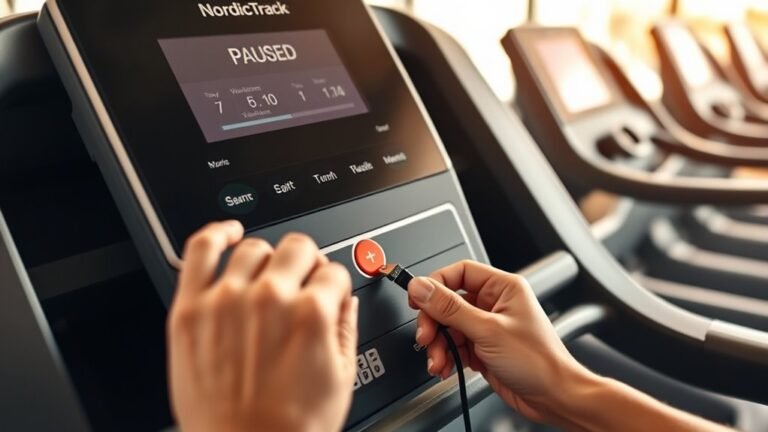
Next, insert the safety key firmly into the console slot to activate the machine. This is a crucial step to ensure the treadmill will operate safely.
Press the “Quick Start” button to begin moving the belt at the default speed. You can then adjust the speed and incline using the designated buttons or touchscreen controls to suit your workout preferences.
Additionally, you have the option to select preset workout programs or use manual mode to customize your exercise routine. For more detailed setup instructions, program options, and troubleshooting tips, consult the user manual or explore further resources.
Key Takeaways
- Plug the treadmill into a grounded outlet and ensure the main power switch is off before turning it on.
- Insert the safety key firmly into the console slot to enable treadmill operation.
- Press the “Quick Start” button to begin a default speed workout immediately.
- Adjust speed and incline using the designated buttons or touchscreen controls as needed.
- Use the “Programs” button to select preset workouts or manual mode, then press “Start” to begin.
Unbox and Assemble Your Proform Treadmill
Before you begin assembling your Proform treadmill, clear a spacious area to unpack all components safely.
Start by carefully unboxing parts, following unboxing tips such as checking the package for damage and verifying that all items listed in the manual are present.
Begin by inspecting the package carefully and confirming all parts listed in the manual are included.
Lay out each component systematically to avoid confusion during assembly. Use the provided tools or recommended equipment to tighten bolts and screws securely.
Attach the frame, console, and handrails in the order specified by the assembly guide.
Guarantee all wiring connections are properly aligned and firmly plugged in, but don’t power on yet.
Double-check stability and alignment of moving parts before proceeding. Following these instructions guarantees efficient assembling parts integration and prepares your treadmill for safe operation.
Plug In and Power On Your Proform Treadmill
Once you’ve completed assembly and verified all connections, plug your Proform treadmill into a properly grounded electrical outlet.
Verify the power source matches the treadmill’s voltage requirements, typically indicated on the label near the power cord. Avoid using extension cords or power strips to maintain ideal electrical safety.
Before powering on, double-check that the treadmill’s main switch is in the “off” position. Then, flip the switch to “on” to supply power to the console.
Confirm that the display activates and all indicators light up, signaling successful power initiation.
If the treadmill fails to power on, inspect the outlet and power cord for damage or loose connections.
Following these steps carefully protects your equipment and verifies safe operation from the start.
Attach the Safety Key to Your Treadmill
First, locate the safety key slot, usually positioned near the console.
Insert the safety key firmly into the slot until it clicks into place.
Make sure the key is secured properly to enable the treadmill’s operation.
Locate Safety Key Slot
Locate the safety key slot on your Proform treadmill’s console, usually positioned near the display panel. This slot is designed to securely hold the safety key, a critical component for starting your treadmill.
The safety key importance can’t be overstated. It acts as an emergency stop mechanism, guaranteeing treadmill safety precautions are upheld during operation.
Before powering on, visually inspect the slot to confirm it’s free of debris or damage that could prevent proper key insertion.
The slot’s design allows the treadmill to remain inactive without the key inserted, preventing accidental starts. Understanding the exact location and function of this slot guarantees you adhere to all safety protocols, minimizing risk during exercise.
Properly locating the safety key slot is essential for safe and effective treadmill use.
Secure Key Properly
After identifying the safety key slot, insert the safety key firmly into the designated opening on your Proform treadmill’s console. Guarantee proper key alignment by matching the key’s shape to the slot precisely. This alignment is critical for establishing a secure connection that enables the treadmill’s operation.
Press the key until you feel it click into place, confirming it’s locked securely.
| Step | Action |
|---|---|
| 1 | Locate safety key slot |
| 2 | Align key shape with slot |
| 3 | Insert key firmly |
| 4 | Press until click confirms lock |
| 5 | Verify secure connection |
A correctly secured key prevents accidental shutdowns and guarantees your treadmill runs safely every time.
Use the Quick Start Feature on Your Proform Treadmill
Using the Quick Start feature on your Proform treadmill lets you begin your workout immediately without maneuvering through multiple settings.
This function maximizes treadmill benefits by saving time and simplifying operation.
To activate Quick Start, make certain the safety key is inserted, then press the “Quick Start” button on the console. The treadmill will begin at a default speed, allowing you to focus on your workout instead of setup.
Key points to remember:
- Insert the safety key securely before starting.
- Press the “Quick Start” button once to activate.
- The treadmill defaults to a moderate speed.
- You can adjust speed and incline after activation.
- Quick Start bypasses preset programs for immediate use.
This feature streamlines your workout initiation, enhancing efficiency and user experience.
Adjust Speed and Incline on Your Proform Treadmill
Controlling speed and incline on your Proform treadmill lets you tailor workouts to your fitness level and goals with precision.
To adjust speed, use the designated buttons to increase or decrease in small increments, enabling you to execute precise speed intervals. This control allows you to switch seamlessly between walking and running paces.
For incline adjustments, engage the incline controls to simulate uphill terrain, effectively adjusting resistance to enhance workout intensity. Gradually increasing incline boosts muscle engagement and cardiovascular challenge.
When adjusting resistance through incline, avoid sudden changes; instead, apply gradual increments to maintain workout safety and effectiveness.
Mastering speed intervals and incline adjustments lets you customize workouts efficiently, balancing intensity and recovery to optimize performance on your Proform treadmill.
Use Your Proform Treadmill Console and Controls
First, power on your Proform treadmill console by pressing the main power button.
Use the navigation keys to select your desired workout program from the available options.
Finally, adjust the speed and incline settings using the dedicated controls to customize your session.
Powering On The Console
Several steps guarantee you power on the Proform treadmill console correctly.
Start by ensuring the treadmill is plugged into a grounded outlet and the main power switch at the base is turned on.
Next, press the console’s power button to activate the display.
Familiarize yourself with the console features, such as the screen brightness and volume controls, accessible via the settings menu.
Adjust the power settings if needed to enhance performance and safety.
Confirm the console initializes without error messages before starting any workout.
Verify power cord connection and outlet functionality
Switch on the treadmill’s main power at the base
Press the console power button to activate the display
Access console features through the settings menu
Adjust power settings for improved performance and safety
Navigating Workout Programs
With the console powered on and settings adjusted, you can now select and maneuver through the Proform treadmill’s workout programs.
Use the touchscreen or control buttons to access the program selection menu.
Scroll through available options, which include pre-set routines tailored for endurance, interval training, or fat burning.
When you highlight a program, the console displays key details like duration, intensity, and target metrics.
Confirm your choice by pressing the start or enter button.
For workout customization, access the settings within each program to modify parameters such as time or resistance levels before beginning.
This guarantees the session matches your fitness goals precisely.
Maneuvering efficiently through these menus allows you to optimize your treadmill experience without delay or confusion.
Adjusting Speed And Incline
Two primary controls on your Proform treadmill let you fine-tune your workout: speed and incline. You’ll use the console buttons or touchscreen to modify speed settings and incline adjustments efficiently.
Start by pressing the speed increase or decrease buttons to reach your desired pace. For incline, use the corresponding controls to simulate uphill or flat terrain, enhancing workout intensity.
Keep these tips in mind for precise adjustments:
- Monitor speed increments in 0.1 mph or km/h steps for gradual changes
- Adjust incline in 0.5% or 1% increments to target specific muscle groups
- Use quick-access buttons for common speeds and inclines
- Follow safety prompts when increasing speed or incline rapidly
- Pause the treadmill before making large adjustments to prevent instability
This approach guarantees controlled, effective treadmill sessions.
Start Your Workout: Choose a Program or Manual Mode
Before you begin your workout, decide whether to select a pre-set program or use manual mode. For program selection, press the “Programs” button and scroll through the available options on the console. Each program is designed with specific speed and incline adjustments tailored to different fitness goals.
Once you find the desired program, press “Start” to activate it.
If you prefer full control, opt for manual mode by pressing the “Manual” button. This mode allows you to adjust speed and incline in real-time using the dedicated buttons on the console or handlebars.
Manual mode is ideal for customizing your workout intensity without preset parameters. Choose the mode that best fits your training objectives before initiating your session to guarantee peak treadmill performance.
Troubleshoot Common Startup Issues on Proform Treadmills
Several common startup issues can prevent your Proform treadmill from powering on or operating correctly.
To address these common errors, use the following troubleshooting tips:
Check the power cord connection and make sure it’s firmly plugged into a working outlet.
Ensure the power cord is securely connected to a functioning outlet before troubleshooting your Proform treadmill.
Verify the safety key is properly inserted; the treadmill won’t start without it.
Inspect the circuit breaker or reset button on the treadmill’s base.
Confirm the emergency stop clip is attached correctly to your clothing.
Examine the console display for error codes and refer to your manual for specific fixes.
Safe Warm-Up and Cool-Down Tips for Proform Treadmills
Although it’s tempting to jump right into your workout, you should always perform a proper warm-up on your Proform treadmill to prepare your muscles and cardiovascular system.
Begin with 5-7 minutes of walking at a low speed, gradually increasing to your target pace.
Incorporate dynamic stretches like leg swings, walking lunges, and arm circles to enhance joint mobility and muscle activation.
After your session, engage in cooldown techniques by gradually reducing your treadmill speed to a slow walk for 5 minutes.
Follow this with static stretches focusing on major muscle groups such as calves, hamstrings, and quadriceps.
These steps minimize injury risk and improve recovery, ensuring your Proform treadmill workouts remain safe and effective.
Frequently Asked Questions
How Do I Connect My Proform Treadmill to the iFit App?
You connect your Proform treadmill to the iFit app by enabling Bluetooth on both devices, opening the app, selecting your treadmill model, and following prompts to pair.
This grants full iFit features and guarantees app compatibility.
Can I Track My Heart Rate With My Proform Treadmill?
Your Proform treadmill acts like a pulse detective, tracking your heart rate through built-in monitoring features. To enable this, grip the sensors or sync compatible chest straps via Bluetooth, ensuring precise real-time cardiovascular data.
What Maintenance Is Recommended to Keep My Proform Treadmill Running Smoothly?
You should lubricate your treadmill regularly and check belt adjustment to avoid slipping or wear.
Clean the deck, tighten bolts, and inspect the motor area. These steps keep your Proform treadmill running smoothly and efficiently.
Are There Any Warranty Options for Proform Treadmills?
You’ll find Proform treadmills come with solid warranty coverage, typically spanning several years. Check your specific model for exact warranty duration.
Always register your product promptly to maximize your warranty benefits and protect your investment efficiently.
How Do I Update the Software on My Proform Treadmill?
You update your Proform treadmill software by connecting it to Wi-Fi, accessing the settings menu, and selecting software updates. This process helps resolve troubleshooting issues by ensuring your machine runs the latest firmware efficiently.
Conclusion
Now that you’ve assembled and powered on your Proform treadmill, attaching the safety key and mastering the console controls, you’re ready to start your workout efficiently. Whether you choose a preset program or manual mode, adjusting speed and incline is straightforward. Remember to troubleshoot any startup hiccups promptly.
With these steps, you’re not just stepping onto a treadmill—you’re entering a fitness time machine, ready to transform your routine with precision and safety. Keep moving forward and enjoy the benefits of knowing how to start Proform treadmill properly!