How to Record Treadmill on Strava
You can record treadmill runs on Strava by manually entering your distance, duration, and calories through the app’s “Add a new activity” feature. This method ensures your indoor workouts are logged even without GPS data.
If you use a smartwatch or fitness tracker that syncs with Strava, your treadmill data can import automatically for accurate tracking. Since GPS doesn’t work indoors, turning off GPS and inputting your run details guarantees your workout gets recorded properly.
Keep your training consistent and explore more ways to optimize indoor run tracking here. This approach helps you maintain a comprehensive record of your treadmill sessions on Strava.
Key Takeaways
- Use Strava’s “Manual Activity” feature to input treadmill run distance, duration, and calories after completing your workout.
- Alternatively, connect a compatible smartwatch or fitness tracker that automatically records treadmill runs and syncs with Strava.
- In the Strava app, select “Record,” disable GPS, and manually match treadmill speed and incline for indoor run tracking.
- Edit treadmill run data post-workout by selecting the activity and adjusting distance and pace to reflect treadmill settings accurately.
- Regularly calibrate your treadmill and consider using a footpod sensor for precise pace tracking and improved data accuracy.
How to Record Treadmill Runs on Strava: Quick Overview
Although Strava doesn’t directly track treadmill runs through GPS, you can still record your workouts effectively by manually entering your data or using compatible fitness devices.
To get the most accurate results, focus on treadmill calibration before you start. Ensuring your treadmill is properly calibrated helps maintain pace consistency, which is essential for reliable data. When your treadmill’s speed settings align with your actual pace, your Strava logs will reflect your true effort.
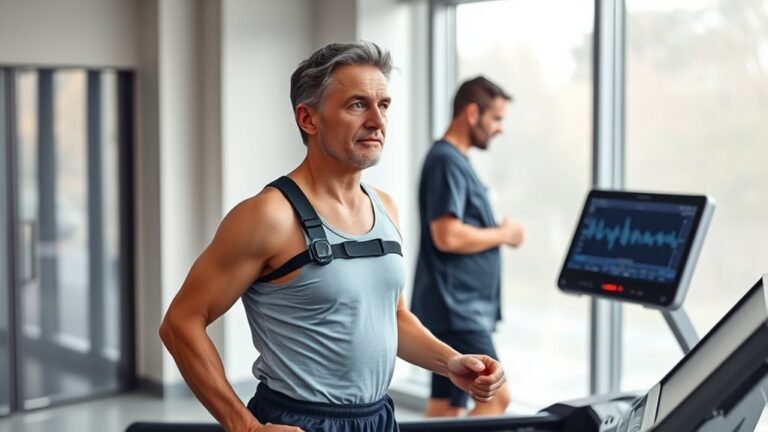
Using a smartwatch or fitness tracker that syncs with Strava can automate this process, capturing distance and pace without guesswork.
Log Treadmill Runs Manually on Strava
When you don’t have a GPS-enabled device, you can still keep your Strava training log up to date by manually entering your treadmill run details.
Start by opening Strava and selecting the option to add a new activity. Choose “Run” as the activity type, then input your run data from the treadmill display, including distance, duration, and calories burned.
Open Strava, add a new activity, select Run, and enter your treadmill distance, duration, and calories.
Be sure to note the treadmill settings you used, such as speed and incline, in the activity description for a complete record.
This manual entry helps maintain accurate tracking of your progress and keeps your training consistent.
Track Treadmill Runs Using the Strava Mobile App
If you prefer a more streamlined approach than manual entry, the Strava mobile app offers tools to help you track treadmill runs with ease.
Start by opening the app and selecting the “Record” option.
Before you run, adjust the treadmill settings on the app to match your speed and incline for accurate data capture. The app features a built-in GPS alternative mode, which lets you log distance and pace indoors without GPS signals.
During your run, monitor your stats in real-time, ensuring your treadmill settings sync well with the app.
Once finished, save your activity to see detailed analytics and share your progress.
Using the Strava mobile app not only simplifies tracking treadmill workouts but also keeps you motivated by visualizing your consistent effort.
Connect Fitness Trackers and Smartwatches for Treadmill Runs
Why settle for manual entries when you can effortlessly track your treadmill runs by connecting your fitness tracker or smartwatch to Strava?
With fitness tracker compatibility and smartwatch integration, you get accurate data synced automatically, saving time and boosting motivation.
Here’s how to maximize your treadmill tracking:
- Verify your device supports fitness tracker compatibility with Strava.
- Pair your smartwatch or tracker via the Strava app or website.
- Start your treadmill workout on the device; data syncs seamlessly.
- Review detailed metrics like pace, distance, and heart rate directly on Strava.
Import Treadmill Data From Other Running Apps
Although Strava excels at direct tracking, you can enhance your treadmill workout records by importing data from other running apps. Many apps offer treadmill app integration, allowing you to sync your detailed treadmill sessions seamlessly.
To do this, first check the running app compatibility with Strava. Popular apps like Garmin Connect, Nike Run Club, and MapMyRun often support direct data transfers. Once linked, your treadmill workouts will automatically appear in Strava, preserving accurate distance, time, and pace metrics.
Check if your running app syncs with Strava to automatically import accurate treadmill workout data.
This method saves time and guarantees your treadmill activity reflects your true effort. By leveraging treadmill app integration, you keep your training history thorough and motivating, making it easier to track progress and stay committed.
Embrace this smart approach to maximize Strava’s treadmill tracking capabilities effortlessly.
Edit Distance and Pace for Treadmill Runs on Strava
You can easily adjust the distance on Strava to match your treadmill workout for more accurate tracking.
Calculating your true pace becomes simple once your distance is correct, helping you monitor progress effectively.
Make sure to sync your treadmill data properly to keep all your runs consistent and reliable.
Adjusting Distance Manually
When you finish your treadmill run, you might notice that the recorded distance or pace on Strava isn’t quite accurate.
This happens because GPS doesn’t track indoor runs well, so you’ll need to make manual adjustments for better distance calibration.
Here’s how you can adjust your treadmill run on Strava:
Open your activity on Strava and select “Edit.”
Find the distance field and enter the exact treadmill distance.
Adjust your pace if needed to match your treadmill’s readout.
Save the changes to update your run stats.
Calculating Accurate Pace
Calculating an accurate pace for your treadmill runs on Strava guarantees your training data reflects your true effort.
Start by ensuring your treadmill calibration is precise; even slight errors can skew your pace measurement.
Use the treadmill’s display to note your distance and time, then manually enter these values into Strava for the most reliable results.
Remember, Strava calculates pace by dividing distance by time, so accurate input is essential.
If your treadmill’s calibration is off, consider verifying distance with a trusted app or GPS outdoors to adjust accordingly.
By focusing on treadmill calibration and careful pace measurement, you’ll track your progress effectively and stay motivated.
Accurate data empowers smarter training decisions and helps you reach your fitness goals faster.
Syncing Treadmill Data
Although treadmill workouts lack GPS data, syncing your treadmill runs with Strava remains straightforward by manually editing distance and pace.
After completing your run, upload the activity as a manual entry. Then, adjust the details to reflect your actual treadmill settings and workout preferences for accuracy.
Here’s how to sync your treadmill data effectively:
Enter the exact distance from your treadmill display.
Set the duration based on your workout timer.
Calculate and input your average pace manually.
Customize workout preferences to match your effort and conditions.
Record Indoor Workouts Accurately Without GPS
Since GPS signals don’t work indoors, you’ll need alternative methods to record your treadmill workouts accurately on Strava. Start by manually entering your treadmill settings—distance, time, and pace—right after your run. This guarantees your indoor pacing is reflected correctly without relying on GPS data.
You can also use compatible fitness trackers or apps that measure your treadmill performance and sync the data directly to Strava. These tools capture your effort and speed precisely, making your indoor workout stats reliable.
Remember, consistency in logging treadmill settings helps Strava track your progress accurately. By adopting these approaches, you’ll keep your training honest and motivating, even when running indoors without GPS signals.
Stay committed and make every treadmill session count on Strava.
Share Your Treadmill Runs With Friends on Strava
Anyone can turn their treadmill workouts into shared achievements on Strava, making your indoor runs more engaging and motivating.
Sharing your treadmill runs helps you connect with friends, stay accountable, and celebrate progress together.
Sharing treadmill runs builds connection, accountability, and a community that celebrates every milestone together.
Use these tips to maximize social sharing and showcase your treadmill techniques:
- Upload your treadmill run manually or sync your fitness device for accurate data.
- Add detailed notes on treadmill techniques you practiced to inspire others.
- Tag friends or running clubs to encourage interaction and support.
- Use Strava’s privacy settings to control who sees your treadmill activities.
Fix Common Problems When Recording Treadmill Runs
When recording treadmill runs on Strava, you might face GPS signal issues since you’re indoors.
You’ll also want to guarantee your distance tracking is accurate for a true reflection of your effort.
Let’s explore simple fixes to keep your treadmill workouts logged correctly and effortlessly.
GPS Signal Issues
Although treadmill runs take place indoors, you might still want to track your workout accurately on Strava. The main challenge is that your device’s GPS signal won’t function properly inside, affecting treadmill accuracy.
To tackle this, consider these tips:
Turn off GPS tracking and manually enter your treadmill run data.
Use a footpod or a treadmill sensor compatible with Strava for better accuracy.
Sync your treadmill’s data directly if it supports Bluetooth or ANT+.
Use Strava’s “Manual Activity” feature to log distance and time after your run.
Accurate Distance Tracking
Tracking your treadmill distance accurately on Strava can be tricky, but a few key adjustments can make a big difference. To boost distance accuracy, start by calibrating your treadmill regularly. This guarantees the machine’s metrics align with your actual pace and stride.
Next, manually input your treadmill’s distance into Strava if automatic syncing isn’t precise. Avoid relying solely on GPS indoors. Here’s a quick guide to improve treadmill calibration and distance accuracy:
| Step | Action | Benefit |
|---|---|---|
| 1. Calibration | Adjust treadmill settings | Accurate speed and distance |
| 2. Manual Input | Enter distance directly on Strava | Corrects any GPS errors |
| 3. Use Footpod | Attach footpod sensor | Enhances pace tracking |
| 4. Review Data | Check and edit post-run | Guarantees final accuracy |
Frequently Asked Questions
Can I Sync Treadmill Runs From Non-Compatible Fitness Apps to Strava?
You can’t directly sync treadmill runs from non-compatible fitness apps to Strava due to fitness app integration limits. However, you can manually export and upload data to overcome syncing challenges and keep your progress tracked.
How Does Strava Calculate Calories Burned on Treadmill Runs?
You might think calorie estimation is exact, but Strava uses treadmill metrics like speed, distance, and your weight to calculate calories burned. It’s a solid estimate that motivates you to track and improve your workouts consistently.
Is It Possible to Set Treadmill Run Goals Directly on Strava?
You can’t set treadmill workout goals directly on Strava, but you can create custom goals for distance or time. Use goal setting to stay motivated and track your treadmill progress effectively over time.
Does Strava Offer Treadmill Run Training Plans or Coaching Features?
Strava doesn’t offer dedicated treadmill workouts or coaching, but you can use Strava Coaching to create personalized run plans. You’ll stay motivated and track progress, adapting your treadmill workouts to meet your goals effectively.
Can I Export Treadmill Run Data From Strava to Other Platforms?
While Strava excels in tracking, its data export options are somewhat limited. You can export your treadmill run data as a GPX or TCX file, then upload it to other fitness platforms to keep all your progress synced seamlessly.
Conclusion
Recording your treadmill runs on Strava doesn’t have to feel like running in circles. Whether you log manually, sync your smartwatch, or import data, you’ve got the tools to keep your progress crystal clear.
Don’t let indoor workouts hide your hard work—capture every stride, share your achievements, and stay motivated. Remember, every step counts, even when the GPS can’t see you.
Lace up and let Strava track your journey, rain or shine! With these tips, recording treadmill runs on Strava becomes simple and effective.