How to Read Distance on a Treadmill
To read distance on your treadmill, start by understanding that it calculates how far you’ve traveled by tracking belt rotations using built-in sensors. Your machine then converts these rotations into miles or kilometers, depending on the units you’ve selected in the settings menu.
To stay accurate, regularly calibrate your treadmill and adjust units to suit your fitness goals. This ensures the distance reading is reliable and meaningful for your workouts. Understanding these basics guarantees your progress is clear and motivating.
Keep going to uncover how to fine-tune your treadmill distance tracking and optimize your workout results. With the right adjustments, your treadmill can become a powerful tool to track and improve your fitness journey.
Key Takeaways
- Distance on a treadmill is displayed based on belt rotations measured by built-in sensors.
- Check the treadmill display panel for the distance value, typically shown in miles or kilometers.
- Ensure the unit setting matches your preference by accessing the “Units” menu in the treadmill settings.
- Regularly calibrate the treadmill sensors to maintain accurate distance readings.
- Use distance readings alongside speed and time to monitor and track your workout progress effectively.
How Treadmill Distance Is Measured and Displayed
Understanding how treadmill distance is measured and displayed helps you accurately track your progress.
Your treadmill uses built-in treadmill sensors to monitor the belt’s movement, calculating the distance based on belt rotations and speed. These sensors are essential for distance accuracy, ensuring the number you see reflects your actual workout.
When you start running or walking, the sensors detect each revolution of the belt, converting that data into distance units shown on the display.
Keep in mind, proper calibration of these sensors is important; if they’re misaligned or dusty, distance accuracy can suffer.
How to Choose Miles or Kilometers on Your Treadmill
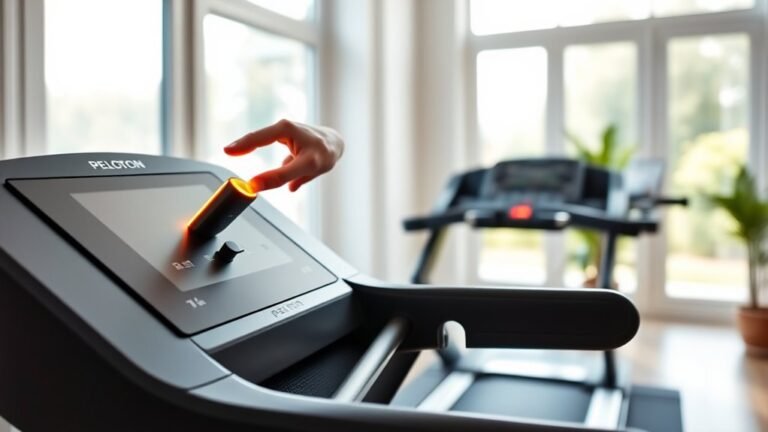
Wondering how to switch between miles and kilometers on your treadmill? It’s simple once you locate the treadmill settings menu. Most treadmills let you toggle units to match your preferred measurement system. This unit conversion guarantees your distance readings align with your fitness goals or local standards.
Here’s a quick guide to help you adjust treadmill settings effectively:
| Step | Action |
|---|---|
| 1. Access Settings | Press the “Settings” or “Menu” button |
| 2. Find Unit Option | Look for “Units” or “Distance” settings |
| 3. Select Unit | Choose “Miles” or “Kilometers” |
| 4. Confirm & Save | Press “OK” or “Save” to apply changes |
Mastering this lets you confidently track your workouts in the units that motivate you most.
How to Calibrate Your Treadmill for Accurate Distance Readings
Although most treadmills come pre-calibrated, you should regularly calibrate your treadmill to verify the distance displayed matches your actual workout. The calibration process guarantees distance accuracy, helping you track progress reliably.
Start by consulting your treadmill’s manual for specific calibration instructions, as models vary. Typically, you’ll need to measure the belt’s circumference or perform a set distance test, then input this data into the machine’s system. This step aligns the treadmill’s readings with real-world measurements.
Don’t skip this crucial process. Accurate distance tracking motivates consistency and improves training outcomes. Regular calibration prevents discrepancies caused by belt wear or sensor drift, so schedule it monthly or after significant use.
Taking control of your treadmill’s calibration process empowers you to trust every mile logged during your workouts.
Why Treadmill Distance Differs From Outdoor Running Distance
Once you’ve confirmed your treadmill’s distance readings are accurate, you might notice they still don’t exactly match what you experience running outdoors. This difference stems from factors like treadmill calibration and outdoor variables such as terrain, wind resistance, and pacing changes.
Understanding these can help you set realistic expectations for your workouts.
| Factor | Treadmill | Outdoor Running |
|---|---|---|
| Surface | Consistent, cushioned | Variable, uneven |
| Environmental Impact | Controlled, no wind or weather | Wind, temperature, and humidity |
| Pace Variation | Constant speed set by treadmill | Natural fluctuations in pace |
Recognizing these differences keeps your training effective and aligned with real-world conditions.
Tips for Tracking Treadmill Distance to Improve Your Fitness
How can you make the most of your treadmill workouts by accurately tracking distance? Precise distance tracking helps you set clear goals, monitor progress, and stay motivated.
To improve your fitness effectively, consider these tips:
- Calibrate your treadmill regularly to guarantee the distance displayed matches your actual effort.
- Use a fitness tracker or app alongside the treadmill’s readout for cross-verification.
- Record your sessions consistently to identify patterns and adjust your workouts accordingly.
Frequently Asked Questions
Can Treadmill Distance Readings Affect My Calorie Count Accuracy?
Yes, distance accuracy directly impacts your calorie calculation on a treadmill. When the distance reading’s off, your calorie count won’t be precise.
You should guarantee accuracy to get reliable calorie feedback and optimize your workouts effectively.
Is It Better to Use Treadmill Distance or Time for Workouts?
You should focus on time over distance when aiming for workout effectiveness. Time lets you maintain consistent effort, while distance can vary with speed.
Prioritize duration to guarantee steady progress and avoid overexertion.
How Do Incline Settings Impact Treadmill Distance Measurements?
You’ll notice the incline effect can slightly skew treadmill distance calibration since higher inclines increase effort without proportionally adding distance.
Stay motivated by focusing on effort, not just distance, for a more effective workout.
Can Treadmill Distance Be Synced With Fitness Apps Automatically?
Yes, you can sync treadmill distance automatically through treadmill app integration. Just make certain your device supports it and troubleshoot syncing issues promptly.
Stay consistent, and you’ll track your progress accurately for better workout results.
Do Different Treadmill Brands Calculate Distance Differently?
Imagine measuring a marathon with different rulers. Brands vary due to unique calibration and measurement standards.
You’ll notice slight distance differences, so trust your treadmill but stay consistent to track progress effectively.
Conclusion
Now that you know how treadmill distance is measured and why it might differ from outdoor runs, don’t just accept the numbers at face value. Calibrate your machine regularly and choose the right units to guarantee accuracy.
Remember, the real goal is progress—use these tips to track your distance confidently and push yourself further. Trust the data, but trust yourself more.
Your fitness journey deserves nothing less than precision and determination. Keep moving and keep mastering how to read distance on a treadmill!