How to Calibrate Apple Watch to Treadmill
To calibrate your Apple Watch to treadmill workouts, start by updating your watch and verifying your personal info in the Health app. This ensures your watch has the latest software and accurate data for tracking.
Next, select “Indoor Walk” or “Indoor Run” on your watch and maintain a consistent pace on the treadmill for at least 20 minutes. This process trains your watch to accurately track your stride length and heart rate indoors.
Doing this calibration improves distance and calorie estimates during treadmill sessions. Keep reading to discover tips for perfecting your calibration and troubleshooting common issues.
Key Takeaways
- Update Apple Watch to the latest watchOS version and verify personal info in the Health app before calibration.
- Select the “Indoor Walk” or “Indoor Run” workout on the Apple Watch for treadmill calibration.
- Walk or run on the treadmill for at least 20 minutes at your normal pace without abrupt speed changes.
- Ensure treadmill speed and incline settings accurately reflect your workout during calibration.
- Use heart rate and motion data collected during the workout to improve future treadmill distance and calorie estimates.
Why Your Apple Watch Needs Calibrating for Treadmill Workouts
Although your Apple Watch tracks your outdoor runs accurately by using GPS, treadmill workouts require calibration because the watch can’t rely on GPS indoors.
Without calibration, you’ll notice accuracy differences in distance and pace during treadmill sessions. Your watch estimates your movement using motion sensors, but these need adjustment to match your unique stride and treadmill speed.
Accuracy varies without calibration as your watch’s motion sensors require tuning to your stride and treadmill speed.
Calibrating guarantees your fitness tracking reflects real effort, helping you monitor progress reliably. If you skip calibration, the watch might under- or overestimate your workout, misleading your goals.
Taking the time to calibrate sharpens the watch’s ability to measure indoor activity precisely, empowering you to trust your data and stay motivated. You deserve accurate feedback to optimize every treadmill run and reach your fitness potential.
Preparing Your Apple Watch for Calibration
To get the most accurate results from your treadmill workouts, you need to prepare your Apple Watch properly before calibration.
Start by choosing settings that match your workout type and environment. Adjusting preferences like units (miles or kilometers) and workout goals helps the watch interpret your data correctly.
Focus on these essential steps:
- Update your watch’s software to the latest version for peak performance.
- Verify your personal information (age, weight, height) in the Health app is accurate.
- Disable any conflicting workout apps that might interfere with data collection.
Calibrating Your Apple Watch on a Treadmill
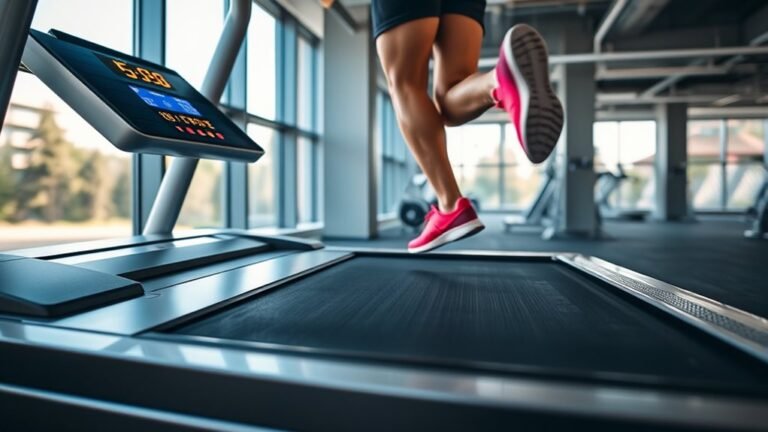
Start your calibration by walking or running on the treadmill for at least 20 minutes at your usual pace.
Make certain your treadmill settings, like speed and incline, accurately reflect your workout to guarantee precise distance tracking.
Ensure your treadmill speed and incline match your workout for accurate distance tracking.
Keep your Apple Watch snug on your wrist and select the “Indoor Walk” or “Indoor Run” workout to let it know you’re on a treadmill.
This consistency helps the watch learn your stride and movement patterns indoors, improving its distance estimates.
Avoid changing speeds abruptly during calibration, as steady pacing yields better results.
After completing the session, your Apple Watch will use heart rate and motion data to fine-tune distance tracking, giving you more reliable metrics for future treadmill workouts.
Stay committed.
Accurate calibration means better performance insights.
Using Outdoor Walks and Runs to Calibrate Your Apple Watch
When you take your Apple Watch outdoors for walks or runs, you give it the chance to accurately learn your natural pace and stride in real-world conditions.
This calibration enhances the accuracy of your fitness tracking, especially for steps, distance, and calorie estimates during outdoor activities.
To get the best results, focus on these key points:
- Use the Workout app and select Outdoor Walk or Outdoor Run to enable GPS tracking.
- Complete at least 20 minutes at your normal pace on varied terrain.
- Keep your watch snug and guarantee it has a clear view of the sky for GPS signals.
Tips to Improve Distance and Calorie Accuracy on Your Apple Watch
Calibrating your Apple Watch during outdoor walks and runs sets a solid foundation for accurate tracking, but you can take additional steps to fine-tune distance and calorie measurements.
To improve distance measurement, make sure your watch fits snugly on your wrist and that you’ve updated your personal information like height, weight, and age in the Health app.
Use the Workout app specifically for treadmill exercises to help the watch better interpret your pace.
For sharper calorie estimation, maintain consistent effort levels during workouts and incorporate heart rate monitoring by enabling wrist detection.
Finally, periodically recalibrate your watch outdoors to refresh its sensors.
Troubleshooting Apple Watch Calibration Issues
If your Apple Watch isn’t tracking distance or calories accurately despite calibration efforts, don’t worry. You can troubleshoot common issues to restore precise measurements.
Start by reviewing your calibration settings to make certain your personal details like weight and height are current, as these impact accuracy.
Next, check if your watchOS is up to date, since software glitches often cause accuracy issues.
Finally, reset your calibration data to clear any corrupted information and recalibrate from scratch.
- Verify personal info in Apple Watch app under calibration settings
- Update watchOS to the latest version for bug fixes
- Reset calibration data via Settings > Privacy > Motion & Fitness
When to Recalibrate Your Apple Watch
Although your Apple Watch generally maintains accurate tracking, you should recalibrate it whenever you notice inconsistent distance or calorie measurements.
Regular calibration guarantees your watch accurately reflects your treadmill workouts, maintaining reliable data for progress tracking.
Pay attention to calibration frequency. If you change your treadmill, update your watch’s settings, or notice discrepancies after software updates, it’s time to recalibrate.
Recalibrate your Apple Watch after treadmill changes, setting updates, or software updates to ensure accurate tracking.
Maintaining activity consistency helps your Apple Watch learn your unique stride and pace, improving accuracy.
Set a reminder to recalibrate every few months or after significant changes in your routine.
Taking these proactive steps will keep your Apple Watch’s fitness data precise, motivating you to stay on track and make the most of every workout session.
Don’t wait; recalibrate and keep your fitness journey on point.
Frequently Asked Questions
Can I Calibrate My Apple Watch for Treadmill Swimming Workouts?
You can’t calibrate your Apple Watch specifically for treadmill swimming workouts, but you can improve accuracy by manually entering pool length and using swimming workouts for water exercises.
For treadmill workouts, calibration is separate and essential.
Does Apple Watch Calibration Affect Heart Rate Accuracy?
Think of your Apple Watch as a compass guiding your fitness journey. Calibration mainly boosts fitness tracker accuracy but doesn’t directly affect heart rate variability.
To improve heart rate readings, guarantee a snug fit and reduce motion artifacts during workouts.
How Does Calibration Impact Workout Sharing With Fitness Apps?
Calibration improves workout syncing by ensuring your Apple Watch records accurate data, which enhances app integration. When your metrics are precise, your fitness apps receive reliable info, motivating you to track progress and achieve your goals confidently.
Will Calibration Improve Step Count Accuracy During Daily Activities?
Yes, calibration can boost step count accuracy by up to 30% during daily activities. By regularly calibrating, you’ll enjoy accuracy improvement and maximize calibration benefits, helping you track your fitness progress more precisely every day.
Can I Use Calibration Settings Across Multiple Apple Watch Models?
You can’t directly transfer calibration settings between Apple Watch models due to model differences. However, calibration compatibility exists within each device, so you’ll need to calibrate each watch individually for the most accurate tracking.
Conclusion
Calibrating your Apple Watch for treadmill workouts might seem like extra effort, but it’s key to getting accurate distance and calorie data. Don’t worry—it’s quick and easy to do, and the results make your workouts smarter and more rewarding.
By following these simple steps, you’ll guarantee your watch tracks your progress reliably, helping you stay motivated and on target. So, take a few minutes to calibrate—it’s worth every second!
Remember, knowing how to calibrate Apple Watch to treadmill is essential for precise tracking and a better fitness experience.